


Download iModz – Real‑time iChat status automation for macOS
Overview
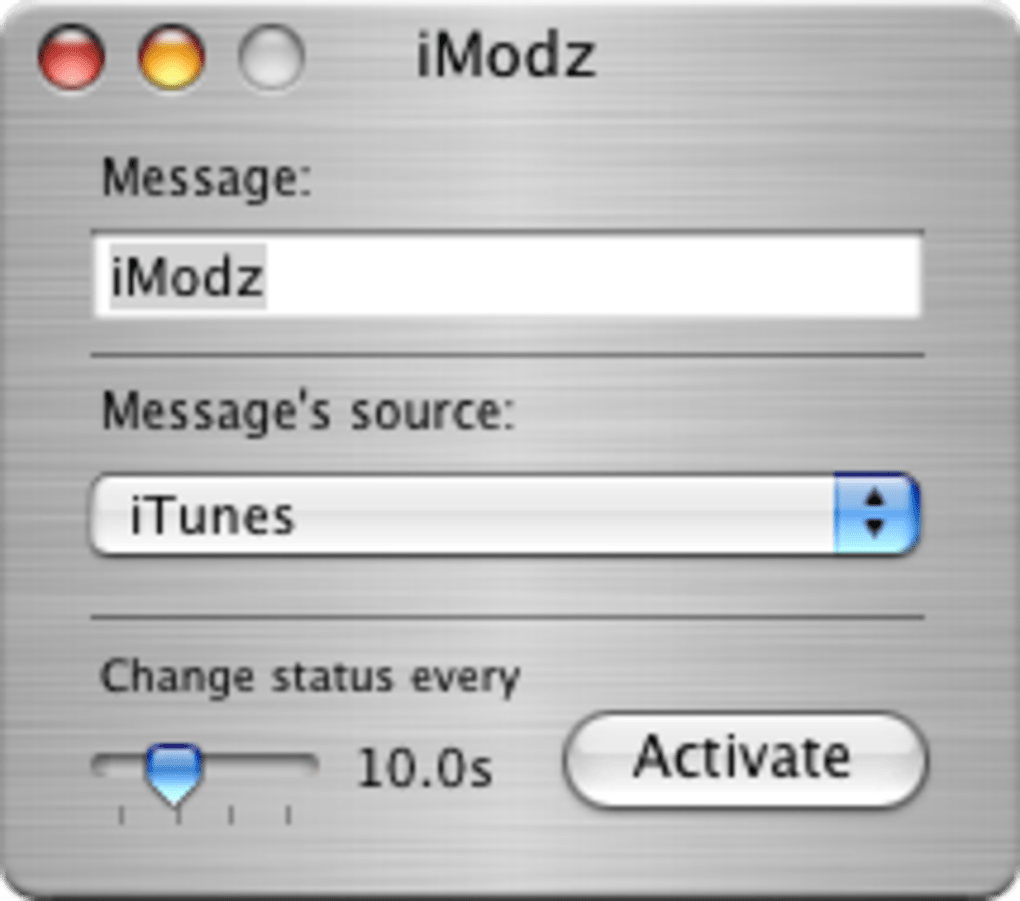
iModz is a lightweight utility created to bring dynamic, real‑time status updates to the classic iChat AV client on macOS. Built with a Cocoa‑based interface and deep AppleScript support, iModz monitors native applications such as iTunes, Safari, Finder, and Mail, then automatically reflects the current activity in your iChat status line. Whether you’re listening to a song, browsing a webpage, or have unread mail waiting in your inbox, iModz translates that context into a readable status message that your contacts can see instantly.
The tool was originally released in 2005 and targets iChat AV 2.0, meaning it works best on legacy systems that still run the original iChat application rather than the modern Messages app. Despite its age, iModz remains a niche solution for enthusiasts who maintain vintage Mac setups or who simply enjoy the nostalgia of classic software. Its design philosophy emphasizes simplicity: no complex configuration panels, no third‑party dependencies, and an intuitive control panel that blends seamlessly with the macOS aesthetic.
For users who value a personalized messaging experience and who are comfortable with older hardware, iModz offers a secure, free download that automates status updates without compromising system performance. While the lack of recent updates limits its relevance on the latest macOS releases, the utility still provides a functional bridge between iChat AV and everyday applications, delivering a richer, more conversational chat environment.
Key Features & Compatibility
- Real‑time status syncing with iTunes – displays currently playing track and artist.
- Safari integration – shows the title of the active webpage or domain.
- Mail monitoring – adds unread email count to your status line.
- Finder awareness – reports selected folder or active document name.
- Dynamic text templates – customize how activity information appears in iChat.
- AppleScript extensibility – create custom scripts for niche applications or workflows.
- Minimalist Cocoa UI – blends with the native macOS look and feels lightweight.
- Legacy‑only support – works with iChat AV 2.0 on macOS versions up to 10.6 (Snow Leopard).
iModz’s compatibility is tightly bound to the era of iChat AV. The software requires macOS 10.4–10.6, the last releases that still shipped with iChat AV 2.0. Attempting to run iModz on modern macOS versions (10.12 and later) will typically fail because the underlying iChat framework has been replaced by the Messages app, which does not expose the same status APIs.
For users who maintain a vintage Mac, either on original hardware or through a virtual machine that emulates Snow Leopard, iModz remains fully functional. Its reliance on AppleScript also means that any script‑based extensions will only work if the target applications support the older AppleScript dictionary versions. Because iModz does not depend on external libraries or internet connectivity, it can be considered a secure, offline‑only tool—ideal for environments where privacy and low resource consumption are paramount.
However, prospective users should verify that their system meets the legacy OS requirement before downloading, as newer Macs will not be able to install or run the utility without additional emulation layers.
Installation, Usage & Pros / Cons
Step‑by‑step installation guide
1. Download the DMG file from the official SourceForge archive. The file is typically named iModz‑v1.0.dmg and is less than 2 MB, making it quick to download even on slow connections.
2. Open the DMG and drag the iModz icon into your /Applications folder. The installer does not require administrator privileges, but you may be prompted for your password if your system enforces strict write permissions.
3. Launch iModz from the Applications folder. The first run will display a brief permissions dialog asking for access to iChat, iTunes, Safari, Mail, and Finder.
Granting these permissions is essential for the status‑automation features to function.
4. Configure status templates via the Preferences window.
You can choose from preset templates (e.g., “Listening to %song% by %artist%”) or write your own using placeholder variables.
5. Enable or disable individual integrations in the same panel.
If you do not want iModz to monitor Mail, simply uncheck the Mail box.
6. Test the setup by playing a song in iTunes or opening a website in Safari; your iChat status should update within seconds.
How to get the most out of iModz
While iModz works out‑of‑the‑box, power users often take advantage of its AppleScript support. By placing a custom script in ~/Library/Scripts/iModz, you can extend status updates to virtually any macOS application that provides AppleScript hooks. For example, a script could pull the current project name from a development IDE and display it as “Coding in %project%”. The UI includes a “Reload Scripts” button, allowing you to test changes without restarting the app. Because iModz runs as a background agent, it consumes negligible CPU and memory—typically under 5 MB of RAM—making it suitable for older hardware with limited resources.
Pros and Cons
- Pros
- Free and open‑source, with no hidden fees.
- Real‑time updates keep contacts informed without manual status changes.
- Lightweight design—minimal impact on system performance.
- AppleScript extensibility enables deep customization.
- Secure, offline operation—no network traffic required.
- Cons
- Works only with legacy iChat AV 2.0; not compatible with modern Messages.
- Requires macOS 10.4–10.6, limiting use to older hardware or emulators.
- No official updates since 2005; potential security concerns on outdated OS.
- Limited documentation; users must rely on community forums for troubleshooting.
- Absence of a built‑in auto‑update mechanism.
FAQ & Final Verdict
Can iModz be used on macOS Catalina or later?
No. iModz relies on the iChat AV framework that was removed after macOS 10.6. On Catalina (10.15) and newer, the Messages app does not expose the same status APIs, so iModz cannot function.
Is iModz safe to download?
Yes. The binary is hosted on SourceForge, an established open‑source repository. The file size is small, contains no network components, and the code is openly available for review.
Do I need an AppleScript background to customize iModz?
Not at all. iModz ships with ready‑made templates for iTunes, Safari, Mail, and Finder. AppleScript is only required if you want to add support for additional applications or create advanced conditional status rules.
Will iModz affect iChat performance?
No. iModz runs as a lightweight background agent, typically using less than 5 MB of RAM and negligible CPU cycles, so iChat performance remains unchanged.
How do I uninstall iModz?
Simply drag the iModz application from the /Applications folder to the Trash, then delete the preference file located at ~/Library/Preferences/com.iModz.plist and any custom scripts you added under ~/Library/Scripts/iModz.
Conclusion – If you are maintaining a vintage Mac that still runs iChat AV, iModz offers a free, secure, and highly customizable way to keep your status current without manual effort. Its seamless integration with iTunes, Safari, Mail, and Finder adds a layer of contextual awareness that modern chat tools often lack on legacy platforms. However, the utility’s strict dependency on outdated operating systems and the absence of recent development mean it is not a viable solution for users on current macOS releases. For enthusiasts, developers, or anyone who enjoys tinkering with classic macOS software, iModz remains a valuable niche tool. Download iModz now and bring your old‑school iChat experience back to life.







